Do you ever think that you can change your facebook site theme? It is really not possible. But I make it possible for you. Ok
Let us start.
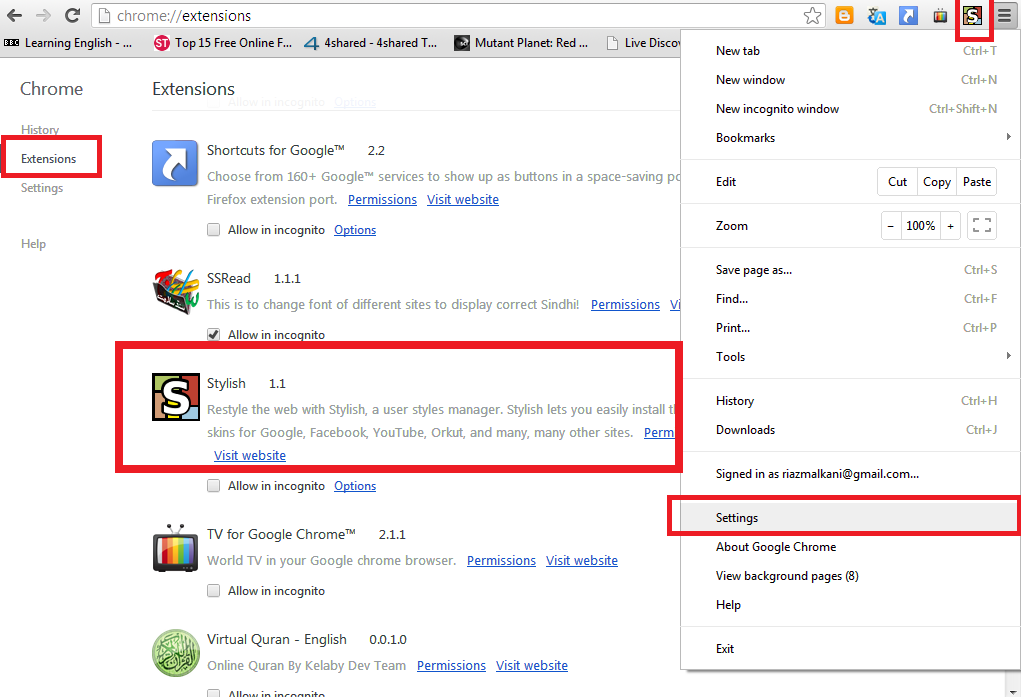
In chrome browser click on right side corner "Customize and Control google chrome button" and select "Setting" from the opening drop down menu. Now you have select extensions. and from more find "Stylish" extension. or
Write "Stylish extension for chrome" or click on this link
https://chrome.google.com/webstore/detail/stylish/fjnbnpbmkenffdnngjfgmeleoegfcffe?hl=en and select "Add to chrome". Stylish extension is added to chrome extension list.
Now open facebook site and login then click on "S" button top right corner of google chrome browser and select
"find more style for this site" and select any theme and download it. Ye he you've done!